Steam Revenue Calculator
Estimate Steam game revenue, platform fees, refunds, taxes, regional pricing, expenses, profit, ROI and break-even sales.
🎮 Game Sales
Primary inputs🌎 Regional Pricing
Global sales adjustment💳 Steam & Tax
Adjust fee assumptions💰 Additional Revenue
Optional📊 Development Costs
Profit calculation📈 Sales Scenarios
Estimated net revenue🐢 Conservative
🎯 Expected
🚀 Optimistic
💎 Estimated Results
USDA Steam Revenue Calculator helps estimate game earnings from sales on Steam. By entering the game price and copies sold, developers can calculate gross revenue and explore estimated deductions. The tool can model discounts, refunds, regional pricing, taxes, fees, and revenue sources.
Developers can use a Steam game revenue calculator for planning, while gamers, researchers, publishers, and analysts can explore Steam game earnings. Scenario testing makes it easier to compare prices and sales volumes.
The result is an estimated revenue figure, not an official Steam statement. Actual developer earnings can differ because real transactions involve factors the calculator cannot verify.
Quick Calculator Information
| Calculator Feature | Details |
|---|---|
| Tool Name | Steam Revenue Calculator |
| Main Purpose | Estimate Steam game revenue |
| Main Inputs | Game price, copies sold, discounts, refunds, pricing, fees, taxes, and expenses |
| Revenue Type | Estimated |
| Currency | USD, EUR, GBP, INR, CAD, AUD, JPY |
| Steam Fee | Based on the selected revenue-share assumption |
| Additional Revenue | DLC, in-game purchases, and other revenue |
| Expenses | Development, marketing, and other expenses |
| Results | Estimated gross revenue, net revenue, profit, ROI, and scenarios |
What Is a Steam Revenue Calculator?
A Steam Revenue Calculator is a planning tool that estimates potential revenue from a game sold through Steam. It uses information such as game price, copies sold, discounts, refunds, and other financial assumptions.
The simplest calculation starts with multiplying the selling price by the number of copies sold. However, real-world game revenue can involve several adjustments. A useful Steam revenue estimator therefore lets users model more than basic sales.
This calculator goes beyond a simple price-times-sales calculation. It can account for average discounts, refund rates, regional pricing adjustments, launch discounts, selected Steam revenue-share assumptions, taxes, and other fees.
It can also include DLC revenue, in-game or microtransaction revenue, and other revenue. On the cost side, users can enter development, marketing, and other expenses.
The result should always be treated as an estimated revenue figure. It does not represent an official Steam financial statement or verified payout.
| Term | Meaning |
|---|---|
| Game price | Listed starting price used by the calculator |
| Copies sold | Estimated number of game units sold |
| Gross revenue | Revenue before modeled deductions |
| Steam fee | Assumed platform share entered into the calculator |
| Refunds | Estimated revenue reduction from the entered refund rate |
| Taxes | Tax or sales-tax adjustment entered by the user |
| Net revenue | Estimated amount remaining after modeled deductions |
| Profit | Estimated revenue remaining after entered expenses |
How Does the Steam Revenue Calculator Work?
The Steam Revenue Calculator estimates potential Steam game revenue by combining your game price, sales volume, discounts, refunds, fees, taxes, and other financial assumptions. Follow these steps to understand how the calculation works.
Step 1: Enter the Game Price
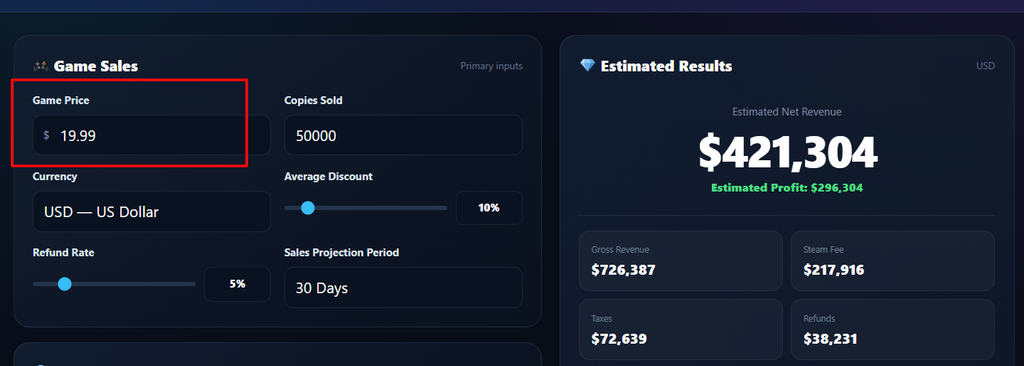
Start by entering your game price in the calculator. This is the base price used to estimate revenue from each copy sold.
For example, if your game costs $20, the calculator uses $20 as the starting price before applying discounts or other adjustments.
Step 2: Enter Copies Sold
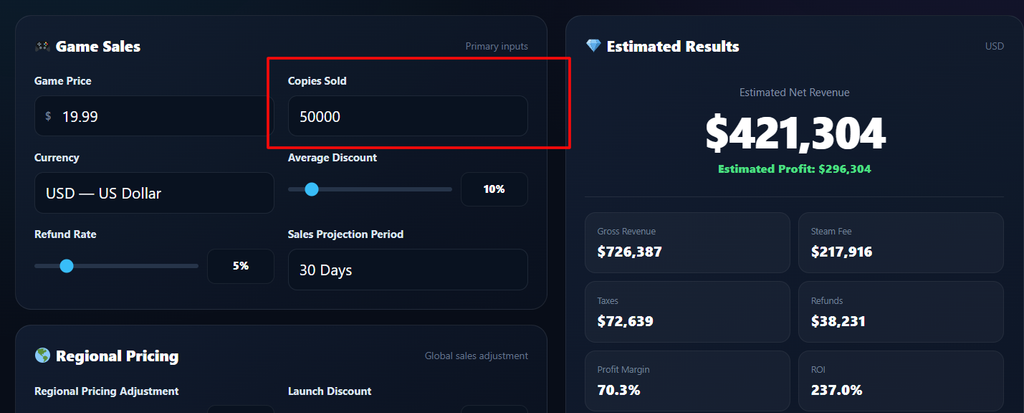
Next, enter the estimated number of copies sold.
For example, if you expect to sell 10,000 copies, the basic gross calculation is:
$20 × 10,000 = $200,000
This gives the initial gross revenue before the calculator applies other adjustments.
Step 3: Select Your Currency
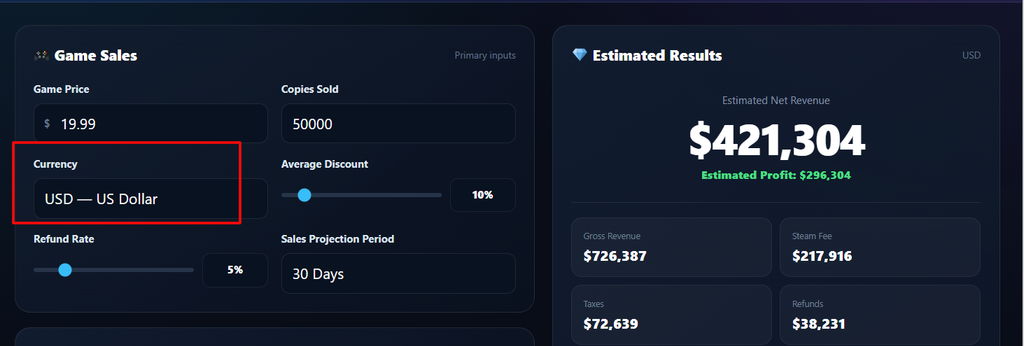
Choose the currency that matches your calculation.
The calculator supports USD, EUR, GBP, INR, CAD, AUD, and JPY.
Currency selection helps the tool display the estimated results in the selected currency.
Step 4: Add the Average Discount
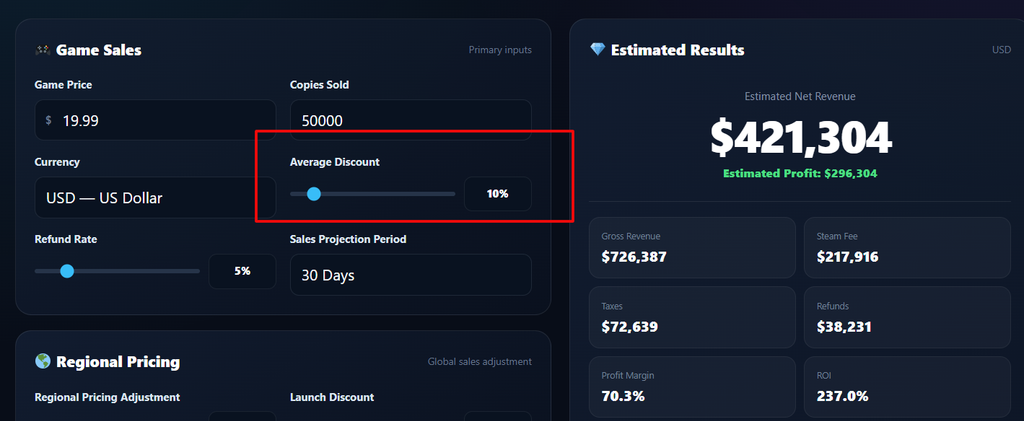
If your game is expected to sell at discounted prices, enter the estimated average discount.
For example, a 20% average discount on a $20 game produces an effective price of:
$20 × 80% = $16
This can significantly change the estimated revenue compared with assuming every copy sells for the full price.
Step 5: Enter the Refund Rate
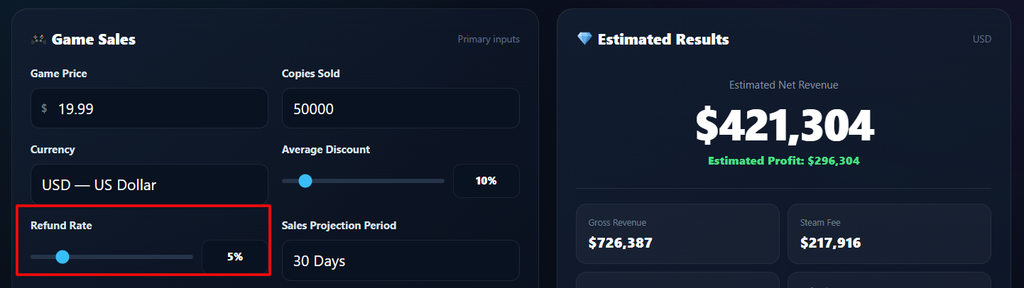
Next, enter the expected refund rate.
For example, a 5% refund assumption means the calculator models a reduction based on 5% of the relevant sales estimate.
Refunds are one reason gross sales should not automatically be treated as final developer revenue. Steam’s own reporting documentation distinguishes gross revenue from net revenue after applicable adjustments such as returns, chargebacks, and taxes.
Step 6: Adjust Regional Pricing
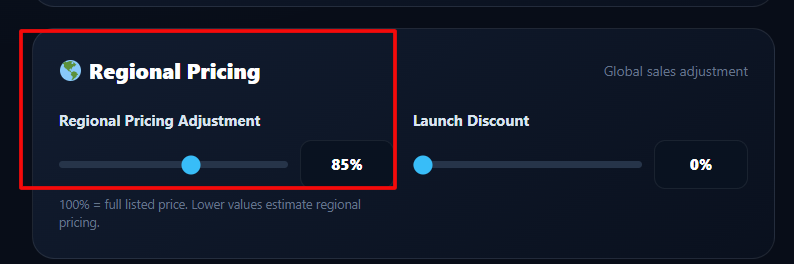
The calculator also includes a regional pricing adjustment.
Games can have different effective selling prices across markets, so using the full list price for every copy can produce an unrealistic estimate.
Enter an appropriate assumption to model the potential effect of regional pricing.
Step 7: Add a Launch Discount
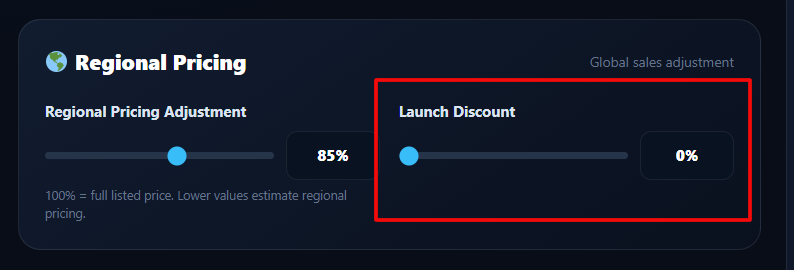
If the game launches with a special promotion, enter the launch discount.
For example, a 10% launch discount on a $20 game gives an assumed launch price of:
$20 × 90% = $18
This allows you to compare a launch promotion with the standard game price.
Step 8: Select the Steam Revenue Share
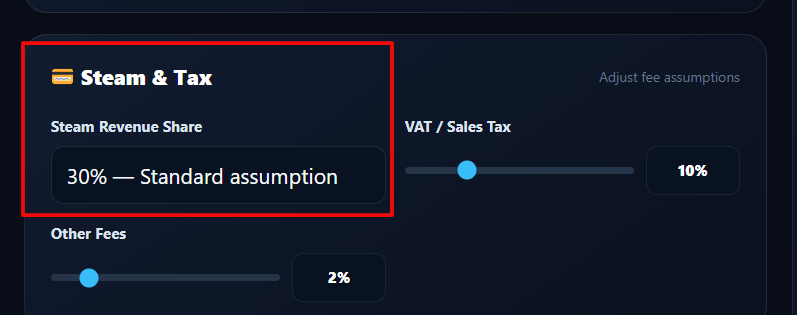
Choose the Steam revenue-share assumption used by the calculator.
The tool provides options including 30%, 25%, 20%, and custom.
This is an assumption for the calculator’s estimate. It should not be treated as a guaranteed payout percentage for every real-world transaction.
Steam’s official reporting documentation explains that its payment calculation starts from gross revenue, applies applicable adjustments to reach net revenue, and then applies the applicable revenue-share percentage.
Step 9: Add VAT or Sales Tax
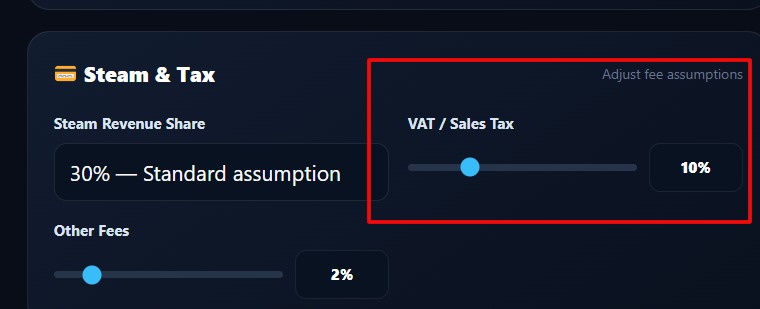
Enter the applicable VAT or sales-tax assumption if you want to model its potential effect.
Taxes can affect the amount used in revenue calculations, so including an assumption can make a scenario more detailed.
The actual treatment of taxes depends on the transaction and applicable tax rules. Steam’s documentation notes that applicable taxes are among the adjustments used in determining net revenue.
Step 10: Add Other Fees
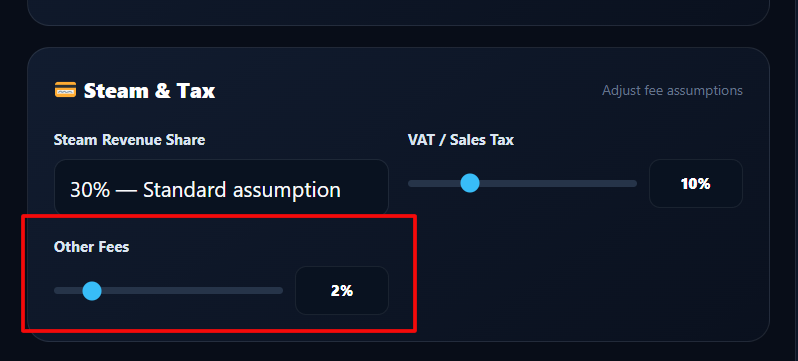
If your calculation includes additional costs or fees, enter them in the other fees field.
This helps create a more detailed estimate instead of relying only on the basic price × copies calculation.
Step 11: Add Additional Revenue
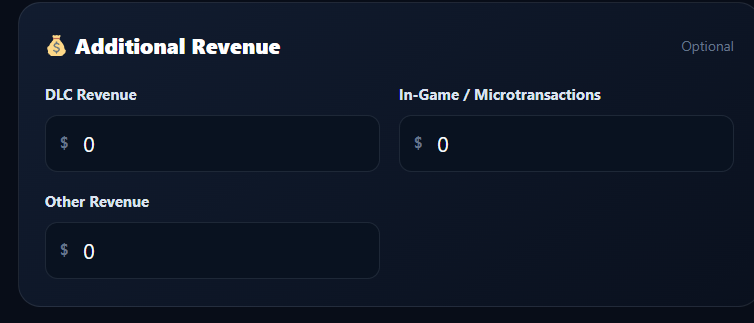
The calculator can also account for revenue beyond the base game.
You can enter:
- DLC revenue
- In-game or microtransaction revenue
- Other revenue
This allows the calculator to estimate a broader revenue picture when these sources apply to the game.
Step 12: Enter Development and Marketing Costs
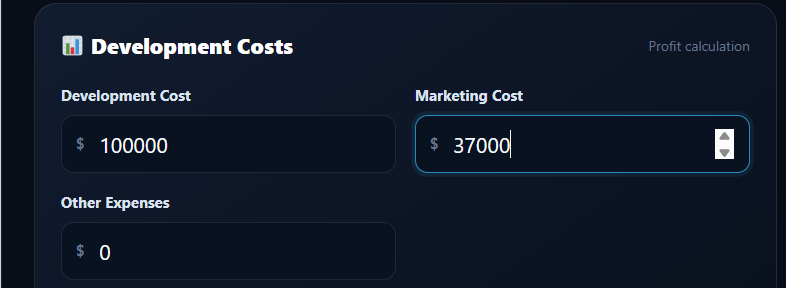
To estimate profit, enter your major expenses.
The calculator provides fields for:
- Development cost
- Marketing cost
- Other expenses
This is important because revenue is not the same as profit.
For example:
Estimated Net Revenue − Total Expenses = Estimated Profit
Step 13: Review Gross Revenue
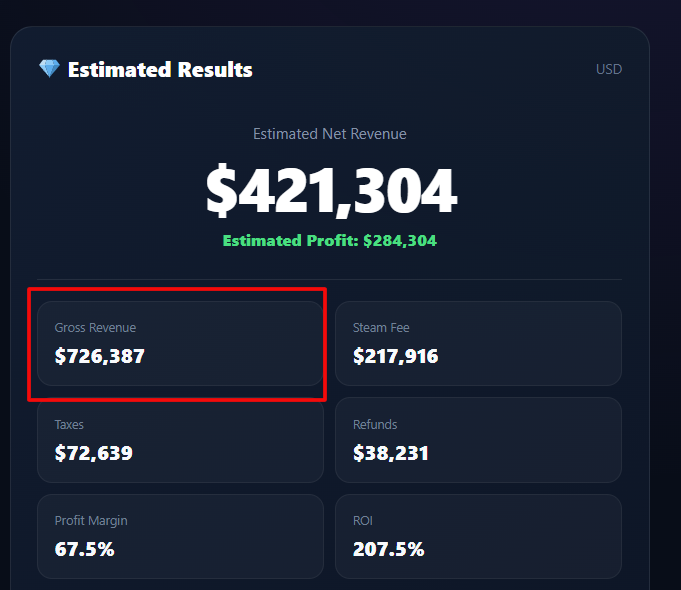
After entering the required information, the calculator shows your estimated gross revenue.
This represents the revenue generated from the modeled game sales before the calculator applies the selected deductions and adjustments.
Step 14: Review Steam Fees and Other Deductions
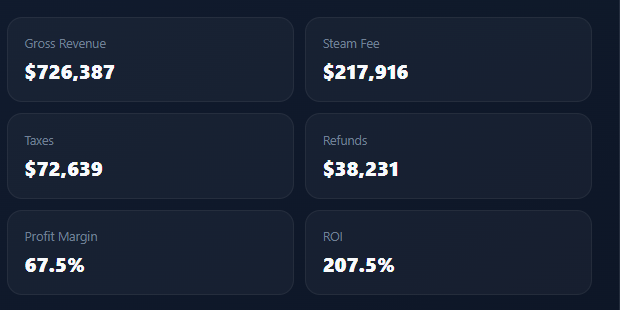
The calculator then shows the estimated impact of:
- Steam fee
- Refunds
- Taxes
- Discounts
- Regional pricing
- Other fees
This gives you a clearer view of how the initial gross amount can change.
Step 15: Check Estimated Net Revenue
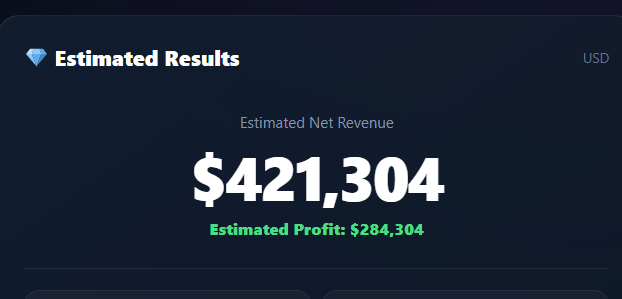
After applying the selected assumptions, the calculator displays your estimated net revenue.
This is more useful for planning than looking at gross sales alone because it considers the deductions entered into the calculator.
Step 16: Check Estimated Profit
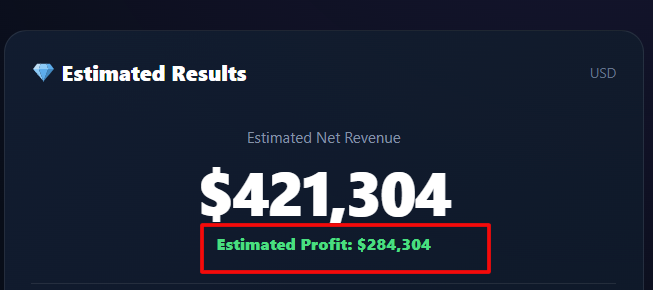
If you entered development, marketing, and other expenses, the calculator can estimate your profit.
For example:
$200,000 Estimated Net Revenue − $120,000 Expenses = $80,000 Estimated Profit
This remains a hypothetical calculation based on your inputs.
Step 17: Review Profit Margin and ROI
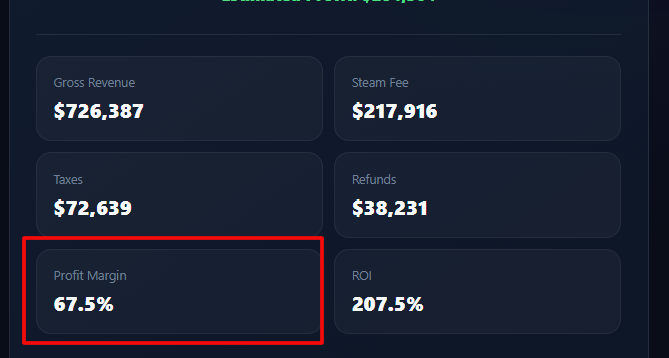
The calculator also provides profit margin and ROI results.
These metrics help compare the estimated financial return against the expenses entered into the tool.
Step 18: Check Break-Even Copies
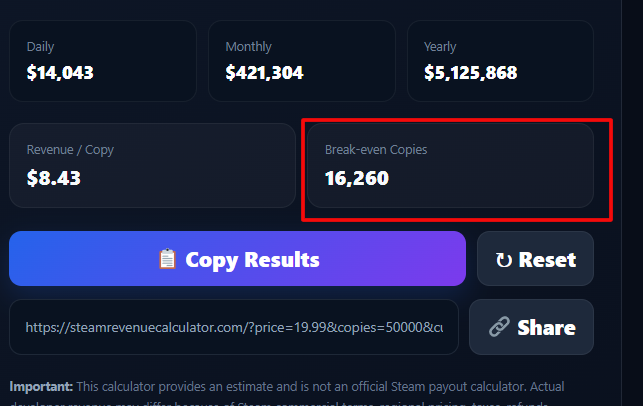
The calculator estimates the number of copies needed to break even based on your revenue assumptions and expenses.
This can help developers understand how many units they may need to sell before recovering their modeled costs.
Step 19: Compare Revenue Scenarios
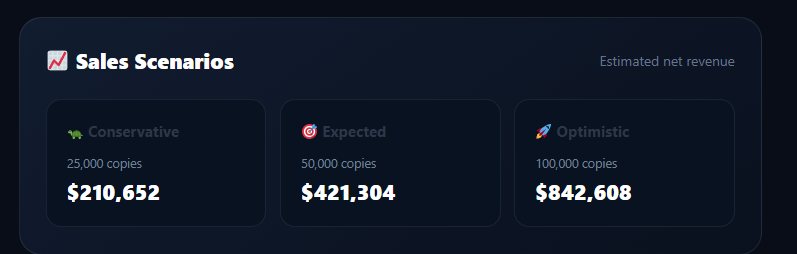
Finally, compare the available Conservative, Expected, and Optimistic scenarios.
This is useful because relying on a single sales estimate can create an unrealistic picture.
Testing multiple scenarios lets you see how changes in copies sold, pricing, discounts, and other assumptions can affect potential Steam revenue.
Steam Revenue Calculation Flow
| Step | Calculation Stage | Main Purpose |
|---|---|---|
| 1 | Game Price | Set the starting price |
| 2 | Copies Sold | Estimate unit sales |
| 3 | Currency | Select display currency |
| 4 | Average Discount | Model discounted sales |
| 5 | Refund Rate | Estimate refund impact |
| 6 | Regional Pricing | Adjust effective price |
| 7 | Launch Discount | Model launch promotion |
| 8 | Steam Revenue Share | Apply selected platform assumption |
| 9 | VAT / Sales Tax | Model tax adjustment |
| 10 | Other Fees | Add additional deductions |
| 11 | Additional Revenue | Add DLC and other supported revenue |
| 12 | Expenses | Calculate potential profit |
| 13 | Net Revenue | Review estimated remaining revenue |
| 14 | Profit & ROI | Evaluate financial performance |
| 15 | Scenarios | Compare different outcomes |
Steam Revenue Calculation Formula
| Calculation | Basic Concept |
|---|---|
| Gross Revenue | Game Price × Copies Sold |
| Discounted Sales | Adjusted Game Price × Copies Sold |
| Steam Fee | Applicable Assumed Share × Relevant Revenue |
| Refund Adjustment | Revenue × Entered Refund Rate |
| Tax Adjustment | Revenue × Entered Tax Rate |
| Net Revenue | Revenue After Modeled Deductions |
| Profit | Estimated Net Revenue − Total Expenses |
| ROI | Estimated Profit Compared With Entered Costs |
These formulas are simplified explanations. The calculator’s actual result depends on its selected inputs and methodology.
Steam Revenue Calculator Formula
The Steam Revenue Calculator formula starts with your game price and estimated copies sold. Additional adjustments can then be applied to create a more detailed revenue estimate.
For example, a game priced at $20 with 10,000 copies sold produces an estimated $200,000 gross revenue before modeled deductions.
Gross Revenue
Calculates the basic gross revenue generated from the estimated number of game sales.
Discounted Revenue
Accounts for an entered average discount when estimating the effective selling price.
Steam Fee
Applies the selected Steam revenue-share assumption used by the calculator.
Refund Adjustment
Models the potential effect of the entered refund rate on estimated revenue.
Net Revenue
Shows the estimated net revenue after the selected adjustments and deductions.
Estimated Profit
Calculates potential profit after entered development, marketing, and other expenses.
How Each Calculation Works
| Calculation | Formula | Purpose |
|---|---|---|
| Gross Revenue | Game Price × Copies Sold |
Estimates basic sales revenue. |
| Discount Impact | Price × (1 − Discount Rate) |
Estimates the effective discounted price. |
| Steam Fee | Relevant Revenue × Share |
Applies the selected revenue-share assumption. |
| Refunds | Revenue × Refund Rate |
Models the entered refund assumption. |
| Net Revenue | Revenue − Deductions |
Estimates revenue after modeled adjustments. |
| Profit | Net Revenue − Expenses |
Estimates the amount remaining after expenses. |
| ROI | Profit ÷ Expenses × 100 |
Measures estimated return against entered costs. |
Important: These Are Estimates
The basic formula provides a mathematical estimate. Actual Steam developer revenue can differ because sales may involve different prices, discounts, refunds, regional pricing, taxes, platform fees, and other adjustments.
Therefore, the calculator’s estimated revenue should not be treated as an official Steam payout or financial statement.
Steam Revenue Calculation Example
This is a simple mathematical example before platform fees, refunds, taxes, discounts, regional pricing, and other deductions.
How to Use the Steam Revenue Calculator
Using the Steam Revenue Calculator is simple because each major assumption has its own input.
1. Enter the Game Price
Start with your game’s listed game price. Select the currency supported by the calculator.
2. Enter Copies Sold
Enter the estimated copies sold during your selected sales period.
3. Select the Currency
The calculator supports USD, EUR, GBP, INR, CAD, AUD, and JPY.
4. Add Discount Assumptions
Enter the average discount if your expected sales include discounted purchases.
You can also enter a launch discount separately when applicable.
5. Enter Refund Information
Add an estimated refund rate to model the potential effect of refunded purchases.
6. Adjust Regional Pricing
The calculator provides a regional pricing adjustment input for scenario modeling.
7. Select Steam Revenue Share
Choose the available revenue-share assumption, such as 30%, 25%, 20%, or a custom percentage.
This is an assumption used by the calculator, not a guarantee of the actual amount retained from every transaction.
8. Add Taxes and Fees
Enter VAT or sales-tax assumptions and any other fees you want the calculator to model.
9. Add Additional Revenue
The tool can account for DLC revenue, in-game or microtransaction revenue, and other revenue.
10. Add Expenses
Enter development costs, marketing costs, and other expenses to estimate profit and ROI.
11. Review the Results
The calculator displays estimated revenue, deductions, profit, margin, ROI, break-even copies, and sales projections.
You can also compare conservative, expected, and optimistic scenarios.
Game Price and Copies Sold
The game price and copies sold are the 2 most important inputs in a basic revenue calculation.
A higher price can increase gross revenue per copy. However, price changes may also affect the number of people willing to purchase the game.
Similarly, selling more copies increases gross revenue when the effective selling price remains unchanged.
The examples below are simple gross-revenue examples. They exclude platform fees, refunds, taxes, discounts, regional pricing, and other deductions.
| Game Price | Copies Sold | Gross Revenue |
|---|---|---|
| $10 | 1,000 | $10,000 |
| $20 | 5,000 | $100,000 |
| $30 | 10,000 | $300,000 |
| $40 | 50,000 | $2,000,000 |
These figures are mathematical examples rather than actual Steam sales results.
Gross Revenue vs Developer Earnings
Gross revenue is not the same as the amount a developer ultimately receives.
A game can generate substantial gross sales while its estimated developer earnings are lower after modeled deductions.
Potential factors include discounts, refunds, taxes, regional pricing, platform fees, publisher arrangements, and other costs.
The calculator can model several of these factors when users provide assumptions. It cannot independently verify every real-world transaction or private contractual arrangement.
| Gross Revenue | Estimated Developer Revenue |
|---|---|
| Before modeled deductions | After modeled calculator adjustments |
| Based primarily on sales | Depends on selected assumptions |
| Does not equal profit | Still does not equal profit |
| Mathematical sales estimate | Financial planning estimate |
It is therefore important to distinguish gross revenue, estimated net revenue, and actual financial proceeds.
Steam Fee and Developer Revenue
The calculator includes a Steam revenue-share assumption so users can model platform deductions.
Available assumptions in the tool include 30%, 25%, 20%, and custom revenue-share settings.
These options should be treated as calculator assumptions rather than a universal statement about every Steam transaction or every developer’s contractual arrangement.
For example, selecting a 30% assumption allows a user to model a simple scenario where 30% of the relevant modeled revenue is treated as the platform share.
That does not mean every real transaction follows that exact calculation. Actual financial arrangements can involve additional considerations.
| Calculator Input | Purpose |
|---|---|
| 30% | Model a 30% platform-share assumption |
| 25% | Model a 25% assumption |
| 20% | Model a 20% assumption |
| Custom | Enter another assumption for scenario testing |
The safest approach is to use the calculator for planning and comparison, rather than treating its output as an official Steam payout.
Steam Revenue Calculation Examples
The following examples are hypothetical mathematical scenarios. They are not reports of actual Steam game earnings.
Example 1: $10 Game
Suppose a game sells 1,000 copies at an assumed $10 average selling price.
Gross revenue = $10 × 1,000 = $10,000
If a 30% platform deduction is modeled:
Estimated remaining revenue = $10,000 × 70% = $7,000
This excludes other possible adjustments.
Example 2: $20 Game
A game selling 5,000 copies at $20 produces:
Gross revenue = $20 × 5,000 = $100,000
Using a 30% assumed platform deduction:
Estimated remaining revenue = $70,000
Example 3: $30 Game
A game selling 10,000 copies at $30 produces:
Gross revenue = $300,000
Under the same simplified 30% assumption:
Estimated remaining revenue = $210,000
Example 4: $40 Game
A game selling 50,000 copies at $40 produces:
Gross revenue = $2,000,000
With a simplified 30% assumption:
Estimated remaining revenue = $1,400,000
These examples deliberately simplify the calculation. Real revenue can differ because of discounts, refunds, taxes, regional pricing, and other deductions.
Factors That Affect Steam Game Revenue
Many variables can change estimated Steam game revenue.
| Factor | Potential Impact |
|---|---|
| Game price | Changes revenue generated per sale |
| Copies sold | Directly changes gross sales |
| Discounts | Reduce effective selling price |
| Seasonal sales | Can change purchase volume and price |
| Regional pricing | Changes effective price across markets |
| Refunds | Reduce retained revenue |
| Taxes | Can affect the amount modeled as available revenue |
| Platform fees | Reduce modeled developer revenue |
| Publisher agreements | Can affect the developer’s final share |
| DLC | Can create additional revenue |
| Microtransactions | Can add revenue beyond base-game sales |
| Soundtracks | Can provide another supported revenue source |
| Additional content | Can increase total customer value |
Not every factor has the same effect on every game. The calculator helps users test assumptions rather than predict an exact outcome.
How Steam Discounts Affect Revenue
A Steam discount lowers the effective selling price of a game.
For example, a $20 game with a 25% discount has an effective price of:
$20 × 75% = $15
If 10,000 copies are sold at that price:
$15 × 10,000 = $150,000 gross revenue
Without the discount, the same number of copies would produce:
$20 × 10,000 = $200,000 gross revenue
The discount therefore reduces revenue per copy by $5.
However, the lower price could potentially change sales volume. The calculator cannot guarantee that a discount will increase or decrease total real-world revenue.
The useful approach is to compare several sales scenarios.
How Refunds Affect Steam Revenue
Refunds can create a difference between listed purchases and revenue ultimately retained.
Suppose a hypothetical calculation starts with $100,000 in modeled gross sales and uses a 5% refund assumption.
A simple modeled refund adjustment would be:
$100,000 × 5% = $5,000
The remaining modeled amount would be $95,000 before other deductions.
This is only a calculator scenario. Actual refund treatment depends on real transactions and applicable rules.
The important distinction is that copies sold, gross transactions, and final retained revenue are not necessarily identical measures.
Steam Revenue From DLC and Additional Content
A game’s financial performance can involve more than the base game.
The calculator supports additional revenue inputs for:
- DLC revenue
- In-game or microtransaction revenue
- Other revenue
These inputs allow users to model revenue beyond the initial game purchase.
For example, a game could have $100,000 in modeled base-game revenue and another $20,000 in additional revenue.
The combined modeled revenue would be:
$100,000 + $20,000 = $120,000
However, additional revenue should only be entered when it actually applies to the game being analyzed.
The calculator does not claim that every Steam game generates DLC or in-game revenue.
Steam Revenue by Game Price
Changing the game price changes the gross revenue generated by each sale.
Consider the following mathematical examples with the same number of copies sold.
| Game Price | Copies Sold | Gross Revenue |
|---|---|---|
| $10 | 10,000 | $100,000 |
| $15 | 10,000 | $150,000 |
| $20 | 10,000 | $200,000 |
| $30 | 10,000 | $300,000 |
| $40 | 10,000 | $400,000 |
These calculations assume that every copy sells at the listed price.
Actual results can differ when discounts, regional pricing, refunds, taxes, and other adjustments are introduced.
This is why price testing should be combined with realistic sales-volume assumptions.
Steam Revenue by Copies Sold
Increasing copies sold increases gross revenue when the effective selling price stays constant.
For example, a $20 game produces the following simple gross-revenue estimates:
| Copies Sold | Game Price | Gross Revenue |
|---|---|---|
| 1,000 | $20 | $20,000 |
| 10,000 | $20 | $200,000 |
| 50,000 | $20 | $1,000,000 |
| 100,000 | $20 | $2,000,000 |
These numbers demonstrate the mathematical relationship between unit sales and revenue.
They should not be interpreted as predictions for any particular Steam game.
How Accurate Is a Steam Revenue Calculator?
A Steam Revenue Calculator can provide useful estimates, but it cannot guarantee actual earnings.
The biggest limitation is that many real transaction details are unavailable to an outside calculator.
| Factor | Why Accuracy Can Change |
|---|---|
| Actual sales | Exact unit sales may not be known |
| Discounts | Purchases may occur at different prices |
| Refunds | Returned purchases affect retained revenue |
| Taxes | Tax treatment can vary |
| Regional pricing | Customers may pay different effective prices |
| Platform fees | The calculator uses selected assumptions |
| Publisher agreements | Revenue may be shared under private agreements |
| DLC | Additional revenue may vary significantly |
| Currency conversion | Exchange rates can change |
| Private financial data | Exact payouts may not be publicly available |
For this reason, the calculator should be viewed as a Steam revenue estimate, not verified financial data.
Using conservative, expected, and optimistic scenarios can make planning more useful.
Steam Revenue vs Profit
Revenue and profit are different financial measurements.
Revenue describes money generated by sales and other supported revenue sources. Profit is what remains after applicable expenses are deducted.
For a game, expenses can include:
- Development costs
- Marketing
- Salaries
- Contractors
- Software
- Publishing
- Taxes
- Customer support
- Other business expenses
For example, suppose a game produces $200,000 in estimated net revenue and has $120,000 in entered expenses.
The simplified estimated profit would be:
$200,000 − $120,000 = $80,000
Therefore, a game can have high Steam game revenue without producing the same amount in profit.
The calculator includes expense inputs so users can explore this difference.
Steam Sales vs Steam Revenue
Steam sales generally refer to units sold or transactions, while revenue describes the monetary value generated by those sales.
Consider a $20 game that sells 10,000 copies.
That produces:
10,000 units × $20 = $200,000 gross revenue
But gross revenue is not necessarily the same as estimated developer revenue or profit.
| Measurement | Meaning |
|---|---|
| Units sold | Number of copies sold |
| Selling price | Price paid under the modeled assumption |
| Gross sales | Monetary value before modeled deductions |
| Estimated revenue | Revenue after selected adjustments |
| Net earnings | Amount modeled after applicable deductions |
| Profit | Revenue remaining after entered expenses |
Understanding these differences helps prevent common mistakes when using a Steam earnings calculator.
Who Should Use a Steam Revenue Calculator?
A Steam Revenue Calculator can be useful for several audiences.
Indie Developers
Indie developers can test pricing and sales scenarios before making financial plans.
Game Studios
Studios can compare different sales volumes and estimate potential revenue under multiple assumptions.
Publishers
Publishers can use hypothetical scenarios when evaluating game economics.
Investors
Investors and business analysts can explore possible revenue ranges without treating estimates as verified financial results.
Researchers
Researchers can model different game-price and sales combinations for market analysis.
Gaming Journalists
Journalists can use mathematical scenarios when explaining potential game revenue, provided estimates are clearly labeled.
Market Analysts
Analysts can compare assumptions across different hypothetical sales scenarios.
Gaming Enthusiasts
Gamers can explore how price and copies sold influence a game’s potential revenue.
What Can You Calculate With This Tool?
The calculator can help estimate several useful scenarios.
You can calculate:
- Revenue from 1,000 copies
- Revenue from 10,000 copies
- Revenue from 100,000 copies
- Revenue at different game prices
- Revenue after an assumed platform deduction
- Revenue after modeled discounts
- Revenue after modeled refunds
- Revenue after selected taxes and fees
- Revenue including supported DLC revenue
- Revenue including in-game or microtransaction revenue
- Estimated profit after entered expenses
- ROI based on entered expenses
- Break-even copies
- Daily, monthly, and yearly projections
- Conservative, expected, and optimistic scenarios
The results depend entirely on the assumptions entered into the calculator.
Common Steam Revenue Calculator Mistakes
Users can easily make mistakes when interpreting game revenue estimates.
| Mistake | Better Approach |
|---|---|
| Confusing revenue with profit | Subtract relevant expenses |
| Using the wrong game price | Use the intended effective selling price |
| Ignoring discounts | Include average discount assumptions |
| Treating estimates as official sales | Label all sales estimates clearly |
| Ignoring refunds | Enter a reasonable refund assumption |
| Assuming every sale has the same price | Consider discounts and regional pricing |
| Forgetting regional pricing | Include the available pricing adjustment |
| Treating results as exact earnings | Use results as planning estimates |
The most important rule is simple: do not confuse a mathematical estimate with private financial data.
Benefits of Using a Steam Revenue Calculator
A Steam Revenue Calculator makes scenario testing faster than performing repeated manual calculations.
| Benefit | Explanation |
|---|---|
| Fast calculations | Quickly produces multiple revenue estimates |
| Scenario testing | Compare different prices and sales volumes |
| Simple estimates | Converts sales assumptions into revenue figures |
| Game planning | Helps evaluate possible financial outcomes |
| Market research | Useful for hypothetical analysis |
| Less manual work | Automates repeated calculations |
| Easy comparisons | Compare conservative and optimistic assumptions |
The biggest advantage is flexibility. Users can change assumptions and immediately see how the estimated result changes.
Limitations of the Steam Revenue Calculator
The calculator is useful, but its results have important limitations.
First, estimated revenue is not verified Steam revenue. The calculator depends on user-provided assumptions.
Actual results can differ because:
- Sales numbers may be unknown.
- Customers may purchase at different prices.
- Discounts can change the effective price.
- Refunds can reduce retained revenue.
- Regional pricing can affect revenue per copy.
- Taxes can vary.
- Platform-share assumptions may not match every real transaction.
- Publisher agreements may affect developer proceeds.
- DLC and additional revenue can vary.
- Currency values can change.
- Private financial information is unavailable to the calculator.
These limitations do not make the calculator useless. They simply mean the output should be interpreted as a planning estimate.
Steam Game Revenue Scenarios
The following scenarios are hypothetical examples. They are not Steam industry averages and should not be treated as typical results.
Small Indie Game
Assume a $10 game sells 2,000 copies.
Gross revenue = $20,000
This scenario represents a simple mathematical estimate before additional deductions.
Growing Indie Game
Assume a $20 game sells 10,000 copies.
Gross revenue = $200,000
The developer could then model discounts, refunds, platform-share assumptions, taxes, and expenses.
Successful Indie Game
Assume a $25 game sells 50,000 copies.
Gross revenue = $1,250,000
The calculator can be used to explore how deductions and expenses affect the estimated result.
High-Selling Game
Assume a $30 game sells 100,000 copies.
Gross revenue = $3,000,000
Again, this is only a hypothetical mathematical scenario. It does not represent actual Steam industry performance.
Steam Revenue Calculator for Indie Developers
Indie developers often need to understand how pricing and sales volume could affect a game’s financial outlook.
A Steam revenue estimator can help test several possibilities before relying on a single sales assumption.
For example, a developer can create conservative, expected, and optimistic sales scenarios. They can then change the game price, discount rate, refund rate, regional pricing adjustment, and platform-share assumption.
Adding development costs and marketing expenses can also provide an estimated profit and ROI view.
This approach is more useful than assuming every copy will sell at full price.
The results remain estimates, but scenario testing can make early financial planning easier.
Frequently Asked Questions
What is a Steam Revenue Calculator?
A Steam Revenue Calculator estimates potential game revenue using inputs such as game price and copies sold. This calculator can also model discounts, refunds, regional pricing, taxes, platform-share assumptions, additional revenue, and expenses. The result is an estimate for planning purposes, not an official Steam financial statement or verified developer payout.
How does the Steam Revenue Calculator work?
The calculator starts with the game price and estimated copies sold to calculate gross revenue. It can then apply selected assumptions for discounts, refunds, regional pricing, Steam revenue share, taxes, and other fees. Additional revenue and expenses can also be entered. The final result depends on the assumptions supplied by the user.
How do I calculate Steam game revenue?
The simplest calculation is game price × copies sold. For example, a $20 game selling 10,000 copies produces $200,000 in basic gross revenue. A more detailed estimate can account for discounts, refunds, taxes, regional pricing, platform-share assumptions, and other supported adjustments.
Does Steam Revenue Calculator show actual earnings?
No. The calculator shows estimated earnings, not verified Steam earnings. Actual financial results can differ because the calculator cannot independently access every transaction, private agreement, tax detail, refund, regional price, or other financial adjustment associated with a game.
How much revenue does a Steam game make?
There is no single revenue amount that applies to every Steam game. Revenue depends on price, copies sold, discounts, regional pricing, refunds, and other factors. A $20 game selling 1,000 copies has a very different gross revenue result from a $20 game selling 100,000 copies.
How do copies sold affect Steam revenue?
Copies sold have a direct mathematical effect on gross revenue when the effective selling price stays constant. For example, 10,000 copies at $20 produce $200,000 in basic gross revenue. However, actual average selling prices can differ because of discounts and regional pricing.
Does game price affect Steam revenue?
Yes. A higher game price produces more gross revenue per copy when the same number of copies is sold. However, price can also influence purchasing behavior. Therefore, increasing the price does not automatically guarantee higher total revenue.
Does the calculator include Steam fees?
Yes. The calculator includes selectable Steam revenue-share assumptions of 30%, 25%, 20%, or a custom percentage. These are calculator inputs used for modeling. They should not be interpreted as a universal guarantee of the actual amount retained from every Steam transaction.
Do Steam discounts affect revenue?
Yes. Discounts reduce the effective price paid per copy. The calculator includes an average discount input and a launch discount input. Users can therefore compare full-price and discounted scenarios. A discount does not automatically guarantee higher or lower total revenue because sales volume can also change.
Do Steam refunds affect revenue?
Yes. The calculator includes a refund rate input. This allows users to model how an assumed percentage of refunded sales could reduce estimated revenue. The result remains hypothetical because the calculator does not independently verify actual transaction-level refund data.
Is Steam revenue the same as profit?
No. Revenue is not profit. Revenue represents money generated by sales and supported additional revenue sources. Profit is what remains after relevant expenses are deducted. Development, marketing, salaries, contractors, software, publishing, and other expenses can significantly affect the final profit figure.
Can I estimate revenue from Steam sales?
Yes. You can enter estimated copies sold and a game price to calculate a basic gross-revenue estimate. You can then add supported assumptions such as discounts, refunds, regional pricing, platform fees, taxes, and additional revenue to create a more detailed scenario.
How accurate is a Steam Revenue Calculator?
The calculator is useful for scenario planning, but it cannot guarantee actual earnings. Accuracy depends heavily on the quality of the inputs. Unknown sales volumes, changing prices, discounts, refunds, regional pricing, taxes, private agreements, and other factors can cause actual results to differ.
Can I calculate revenue for any Steam game?
You can use the calculator for hypothetical analysis of different Steam games as long as you have suitable assumptions for price, sales, and other inputs. However, the calculator does not automatically know a game’s private financial data or guarantee the accuracy of third-party sales estimates.
Is the Steam Revenue Calculator free?
The calculator described here is designed to provide revenue estimates directly through the tool. Users can enter their assumptions and compare different scenarios without manually performing every calculation. The results should still be treated as estimates rather than official Steam financial information.
Conclusion
A Steam Revenue Calculator helps estimate potential game revenue using game price, copies sold, and other supported assumptions. It can model discounts, refunds, regional pricing, taxes, platform-share assumptions, additional revenue, and expenses. This makes it useful for comparing different Steam game revenue scenarios.
Price and sales volume strongly affect gross revenue, while deductions can change estimated net revenue. Profit also depends on development, marketing, and other entered expenses. These calculations are useful for planning, but they do not replace verified financial records.
Always treat the results as estimated earnings, because actual Steam transactions can include factors the calculator cannot verify. Use the Steam Revenue Calculator to estimate Steam game revenue and compare different sales scenarios.